Shredders and Binding Machines: A Buyer's Guide for Document Security
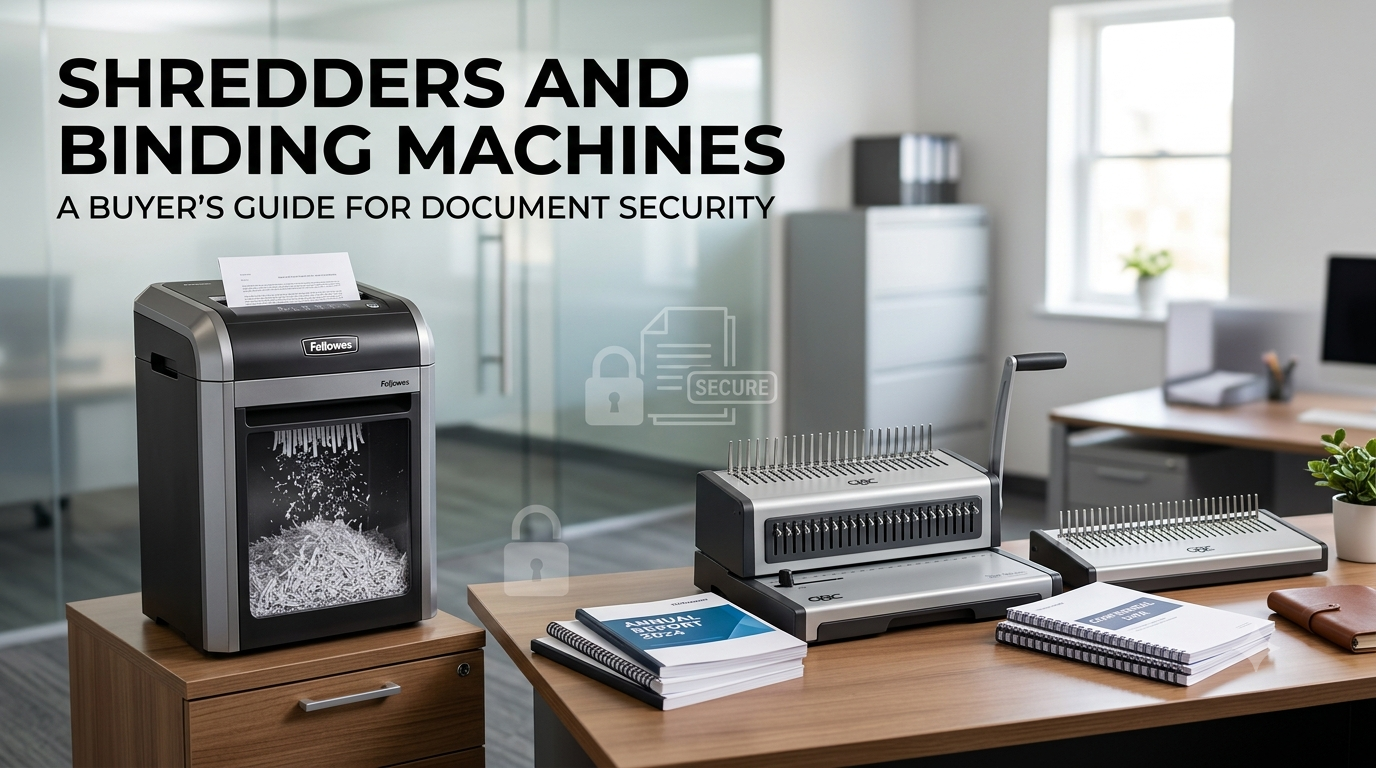
Every office handles documents that need either protection or secure disposal.
Invoices, employee records, customer information, financial statements, contracts and internal reports may contain information that should not remain accessible after it is no longer required. At the same time, important documents that need to be retained often need to be organized, protected and presented professionally.
This is where shredders and binding machines become essential office equipment.
A shredder helps businesses securely destroy documents that are no longer required, while a binding machine helps organize multiple pages into a professional, easy-to-store document.
Although these machines perform completely different functions, both play an important role in effective document management.
However, choosing the right machine is not always straightforward. Shredders vary in security level, cutting technology, capacity and operating time. Binding machines also come in different types, including comb, wire and thermal binding systems.
This buyer's guide explains what to consider before purchasing shredders and binding machines, helping businesses select equipment based on workload, document type, security requirements and long-term value.
Why Document Security Matters
Document security is not limited to protecting digital files.
Physical paperwork can also contain sensitive information. A discarded document that has not been properly destroyed may expose information to unauthorized people.
Examples include:
- Customer contact details
- Employee information
- Financial records
- Bank and payment information
- Business contracts
- Supplier information
- Internal reports
- Confidential correspondence
- Printed passwords or access information
- Legal documents
Simply placing these documents in a normal waste bin is not a reliable method of document destruction.
A suitable office shredder converts paper into much smaller particles, making the original information considerably more difficult to reconstruct.
Binding machines address a different problem. Instead of destroying documents, they help keep important paperwork organized, secure and presentable.
For example, a company may bind a training manual, annual report, proposal, presentation, product catalogue or internal policy document.
How to Choose the Right Office Shredder
The biggest mistake businesses make when purchasing a shredder is choosing a model based only on price or sheet capacity.
A good buying decision should start with security requirements and workload.
1. Choose the Correct Shredder Security Level
Shredders are classified according to how finely they destroy information. The DIN 66399 standard provides security classifications for data destruction, including protection levels for paper.
For everyday office documents, lower security levels may be adequate. Confidential information may require a higher security level, such as P-4 or P-5, while highly sensitive information may require P-6 or P-7 depending on the organization's requirements.
Common Paper Security Levels
|
Security Level |
Typical Application |
|
P-1 |
General documents |
|
P-2 |
Internal documents |
|
P-3 |
Sensitive internal information |
|
P-4 |
Confidential business documents |
|
P-5 |
Highly confidential information |
|
P-6 |
Highly sensitive information |
|
P-7 |
Extremely sensitive information |
The exact requirements should be determined by your organization's information-security policy.
For most modern offices handling confidential customer and business paperwork, cross-cut or micro-cut shredding is generally more appropriate than basic strip-cut shredding.
2. Understand Different Shredder Cutting Types
The cutting mechanism directly affects document security.
Strip-Cut Shredders
Strip-cut machines cut paper into long strips.
Advantages
- Generally affordable
- Fast shredding
- Suitable for basic document disposal
- Often capable of handling larger paper volumes
Disadvantages
- Larger shredded pieces
- Lower security than cross-cut and micro-cut machines
- Not ideal for highly confidential documents
Strip-cut shredders can be suitable for non-sensitive paperwork, but businesses should carefully consider their document-security requirements before choosing one.
Cross-Cut Shredders
Cross-cut shredders cut paper in two directions, producing significantly smaller pieces than strip-cut machines.
They provide a good balance between:
- Security
- Speed
- Capacity
- Office usability
For many businesses, cross-cut is an excellent general-purpose option.
Micro-Cut Shredders
Micro-cut shredders produce much smaller particles than conventional cross-cut machines.
They are particularly suitable for sensitive information such as:
- Financial records
- Employee files
- Confidential contracts
- Customer information
- Legal documents
The trade-off is that micro-cut machines can have lower throughput and may require more frequent emptying depending on the model and workload.
3. Check the Shredder's Sheet Capacity
Sheet capacity tells you how many sheets a machine can process at once under specified conditions.
For example, a personal office shredder may handle a relatively small number of sheets, while a departmental machine can accommodate considerably larger workloads.
However, don't select a shredder solely because its advertised sheet capacity is high.
Consider your actual usage.
Low-Volume Office
A small office with one or two regular users may only require a compact shredder.
Medium-Volume Office
A shared machine should have a larger waste bin, stronger motor and longer operating time.
High-Volume Office
Large departments may benefit from:
- Higher sheet capacity
- Longer continuous run time
- Larger waste containers
- Automatic feeding
- Higher motor power
- More robust cutting systems
Buying a machine that is too small for your workload can lead to frequent overheating, emptying and interruptions.
4. Consider Automatic-Feed Shredders
Automatic-feed shredders are increasingly useful in offices that regularly destroy large batches of paperwork.
Instead of manually feeding every page, users can place a stack of documents into the automatic feeder and allow the machine to process them.
This can save employee time and make regular document disposal more convenient.
Automatic-feed models are particularly useful for:
- Accounting departments
- HR departments
- Administrative offices
- Schools
- Healthcare offices
- Large corporate departments
If your employees frequently have large stacks of documents to destroy, an automatic-feed shredder may provide better productivity than a conventional manual-feed machine.
5. Don't Ignore Noise Levels
A shredder located next to employees can become surprisingly disruptive.
Noise is particularly important in:
- Open-plan offices
- Reception areas
- Libraries
- Customer-service departments
- Meeting areas
If the machine will be used frequently in a shared workspace, look for models specifically designed for quieter operation.
A slightly more expensive low-noise machine may provide better workplace comfort over several years of use.
6. Look for Jam-Prevention Features
Paper jams can interrupt work and become frustrating when a machine is used frequently.
Modern office shredders may include features such as:
- Automatic reverse
- Overload detection
- Jam indicators
- Automatic shut-off
- Electronic controls
- Full-bin indicators
These features can reduce manual intervention and make the shredder easier for multiple employees to use.
Before buying, check whether the advertised sheet capacity applies to your preferred paper type and whether staples, paper clips or other materials are supported. Never assume that a shredder can process every type of office material.
Binding Machines: Why Offices Need Them
While shredders help with secure document disposal, binding machines help protect and organize documents that need to be retained.
Loose pages are difficult to organize, store and present.
Binding transforms a stack of individual pages into a structured document.
Common applications include:
- Business proposals
- Training manuals
- Reports
- Presentations
- Price lists
- Product catalogues
- Employee handbooks
- School materials
- Project documentation
- Meeting documents
For businesses that regularly prepare professional documents, a binding machine can be a useful addition to the office.
Types of Binding Machines
Before purchasing a binding machine, identify the type of documents you normally produce.
Comb Binding Machines
Comb binding is one of the most common office binding methods.
A plastic comb is inserted through punched holes along the edge of the document.
Benefits
- Affordable
- Easy to use
- Documents can usually be reopened
- Pages can be added or removed
- Available in many comb sizes
- Suitable for everyday reports and manuals
Comb binding is a practical choice for offices that regularly update documents.
For example, an employee handbook can be opened later and additional pages can be inserted without completely rebinding the document.
Wire Binding Machines
Wire binding uses metal loops to hold the document together.
The finished document generally has a more professional appearance than standard plastic comb binding.
Wire binding can be useful for:
- Corporate reports
- Presentations
- Proposals
- Annual reports
- Professional documents
It provides a clean, book-like appearance and is often selected when presentation quality is important.
Thermal Binding Machines
Thermal binding uses heat-sensitive adhesive to secure pages inside a cover.
The result resembles a professionally produced book.
Thermal binding is particularly suitable for:
- Reports
- Business proposals
- Manuals
- Presentations
- Client documents
Unlike comb binding, thermal binding generally creates a more permanent document and is therefore better suited to documents that do not need frequent page changes.
Spiral Binding
Spiral or coil binding uses a flexible plastic or metal coil inserted through punched holes.
It is useful for documents that need to open completely flat.
Common applications include:
- Training manuals
- Workbooks
- Notebooks
- Instruction manuals
- Reference documents
Its ability to allow pages to turn easily makes it particularly practical for frequently used documents.
Shredders and Binding Machines: What Should You Buy First?
The answer depends on your business requirements.
If your primary concern is confidential information disposal, invest in the shredder first.
If your office frequently produces reports, proposals, manuals or training documents, a binding machine can improve organization and presentation.
For many businesses, having both provides a complete physical-document workflow:
Create → Organize → Bind → Use → Retain → Securely Shred When No Longer Required
This approach helps businesses manage physical documents throughout their useful life instead of treating document management as simply printing and filing.
How to Choose the Right Binding Machine
Once you have selected the appropriate binding method, there are several specifications worth checking before purchasing.
A binding machine that is suitable for occasional reports may not be the best option for a busy office producing hundreds of documents.
1. Check Punching Capacity
For comb, wire and coil binding, the machine first needs to punch holes into the pages.
Punching capacity refers to the number of sheets the machine can punch in one operation.
A low-capacity machine may be perfectly adequate for occasional documents, while a busy office may benefit from a stronger punching mechanism.
When comparing models, check the manufacturer's stated capacity and remember that actual capacity can vary depending on paper thickness, cover material and machine configuration.
2. Check Binding Capacity
Binding capacity refers to approximately how many pages can be held by the selected binding element.
For example, a small comb may be suitable for a short report, while a larger comb is needed for a thick training manual.
Before purchasing, estimate the typical size of your documents.
If your office normally produces 20–50 page reports, you don't necessarily need a machine designed for extremely thick documents. If you frequently create manuals containing hundreds of pages, a higher-capacity system is more appropriate.
3. Look at Paper Sizes
Most office binding machines are designed around standard paper formats.
A4 is the most common choice for everyday business documents.
However, if your business regularly works with larger documents, an A3-capable binding machine may be more suitable.
Always check:
- Maximum paper size
- Maximum binding thickness
- Punching format
- Margin settings
- Number of punching holes
This prevents compatibility problems after purchasing the machine.
4. Consider Manual vs Electric Operation
Binding machines can generally be divided into manual and electric models.
Manual machines are suitable for lower-volume applications and are often simple to operate.
Electric machines reduce physical effort and can be more convenient when employees need to punch large quantities of documents.
For a small office producing a few reports each week, manual operation may be sufficient.
For a print room, educational institution or corporate administration department, electric punching can provide greater productivity.
Shredder vs Binding Machine: They Solve Different Problems
It is important not to think of shredders and binding machines as competing products.
They serve opposite purposes.
|
Equipment |
Primary Purpose |
Typical Use |
|
Paper Shredder |
Secure document destruction |
Confidential paperwork |
|
Comb Binder |
Organizing documents |
Reports and manuals |
|
Wire Binder |
Professional presentation |
Proposals and reports |
|
Thermal Binder |
Permanent document presentation |
Professional reports |
|
Coil Binder |
Flexible document handling |
Manuals and workbooks |
A well-equipped office may use all of these machines at different stages.
For example, an office could print a training manual, punch and bind it, distribute it to employees, store the final version and eventually shred outdated copies.
Combining Shredding and Binding for Better Document Management
A good document-management process should consider both retention and destruction.
Not every document should be shredded immediately. Important records may need to be retained for a specified period based on business, contractual or regulatory requirements.
A practical office workflow can look like this:
Step 1: Create
Print or produce the required document.
Step 2: Review
Check whether the document is final, confidential or intended for long-term use.
Step 3: Bind
Bind documents that will be distributed, referenced or repeatedly handled.
Step 4: Store
Keep important documents in an organized storage system.
Step 5: Review
Identify documents that are outdated or no longer required according to your company's retention policies.
Step 6: Shred
Securely destroy documents that are approved for disposal.
This approach reduces unnecessary paperwork while protecting information throughout its lifecycle.
Features to Look for in a Modern Office Shredder
Technology has made modern shredders much easier to use than basic paper shredders.
Depending on the model, useful features may include:
Automatic Start and Stop
The machine detects paper and starts automatically, reducing the need for manual controls.
Reverse Function
A reverse function helps clear incorrectly fed or overloaded paper.
Overload Protection
The machine can prevent operation when too much paper is inserted.
Full-Bin Indicator
A notification tells users when the waste container needs to be emptied.
Safety Sensors
Some models include sensors designed to stop operation when an obstruction or hand is detected near the paper entry.
Automatic Shut-Off
The shredder can switch off after a period of inactivity or when certain safety conditions are detected.
Energy Management
Some professional models include energy-saving functions that reduce power consumption when the machine is not being used.
The more people who share a shredder, the more valuable these convenience and safety features become.
Features to Look for in a Binding Machine
For binding machines, convenience is primarily determined by the punching and binding process.
Useful features can include:
- Adjustable paper guides
- Adjustable punching margins
- Document thickness indicators
- Separate punching and binding controls
- Electric punching
- Waste-paper tray
- Multiple punch settings
- Compatible binding formats
- Easy-to-use release mechanisms
A waste-paper tray is particularly useful because punching produces small paper pieces that need to be collected and emptied regularly.
For organizations that bind documents frequently, an ergonomic design can also reduce repetitive effort for employees.
Common Mistakes When Buying Shredders
Buying Only Based on Price
The cheapest shredder may not provide the security level or workload capacity your business requires.
Instead, consider the machine's total value over its expected working life.
Choosing the Wrong Security Level
A strip-cut shredder may be inexpensive, but it may not be appropriate for highly confidential paperwork.
Determine the sensitivity of your documents before selecting the cutting type.
Ignoring User Capacity
A personal shredder used by an entire department may quickly become overloaded.
Always match the machine to the number of users and expected workload.
Ignoring Waste-Bin Capacity
A small bin means more frequent emptying.
For high-volume offices, a larger waste container can make a noticeable difference in convenience.
Forgetting Noise
A machine may have excellent specifications but still be unsuitable if it is positioned directly beside employees.
Consider noise levels when selecting equipment for open offices.
Common Mistakes When Buying Binding Machines
Choosing the Wrong Binding Style
Don't automatically choose comb binding simply because it is common.
Think about how the finished document will be used.
Choose:
- Comb for flexibility and everyday reports
- Wire for professional presentation
- Thermal for book-like documents
- Coil for flexibility and frequent handling
Underestimating Document Thickness
If your typical manual contains 200 pages, buying a machine designed primarily for small reports may create limitations.
Estimate your largest regular document before buying.
Ignoring Cover Compatibility
If you plan to use transparent front covers, card back covers or special materials, confirm that the binding system supports them.
Buying Too Much Capacity
The opposite mistake is also possible.
A small office that occasionally binds a 20-page report may not need a large commercial binding system.
Choose equipment according to actual usage rather than buying the biggest machine available.
Maintenance Tips for Shredders
Proper maintenance can help keep a shredder operating reliably.
Keep the Feed Area Clean
Paper dust can accumulate around the cutting mechanism and feed opening.
Empty the Bin Regularly
Do not wait until shredded paper is excessively compacted or overflowing.
Avoid Overloading
Stay within the manufacturer's recommended sheet capacity.
Follow Lubrication Instructions
If the model requires shredder oil or lubrication, follow the manufacturer's instructions and use compatible maintenance products.
Some models are specifically designed for oil-free operation, so check the instructions before applying lubricant.
Remove Foreign Materials Carefully
Do not insert materials such as plastic, cardboard, adhesive labels or metal items unless the manufacturer specifically states that the machine can handle them.
Maintenance Tips for Binding Machines
Binding machines also benefit from regular cleaning and inspection.
Empty the Punch Waste Tray
Paper particles accumulate during punching and should be removed regularly.
Keep Punching Slots Clean
Dust and paper debris can affect punching quality.
Avoid Exceeding Capacity
Forcing too many sheets through the punch mechanism can damage the machine.
Store Binding Supplies Properly
Keep combs, wires, coils and covers in a dry, clean location.
Inspect the Mechanism
If the machine begins producing uneven holes or binding becomes difficult, check the punch and binding mechanism before continuing to use it.
How Much Should You Spend?
There is no single ideal budget for every office.
Instead, divide your requirements into three broad categories.
Basic Office Use
Suitable for:
- Small teams
- Occasional shredding
- Short reports
- Light document binding
Focus on affordability, simplicity and essential security.
Regular Professional Use
Suitable for:
- Medium-sized offices
- Frequent document destruction
- Regular reports and manuals
- Shared office equipment
Prioritize durability, larger capacities, better security and ease of use.
Heavy-Duty Use
Suitable for:
- Large companies
- Finance departments
- HR departments
- Print rooms
- Government organizations
- High-volume document processing
Here, higher security, continuous operation, automatic feeding, larger waste capacity and robust construction can justify a higher investment.
Buyer's Checklist
Before purchasing shredders and binding machines, use this checklist.
Shredder Checklist
☐ Determine document sensitivity
☐ Select the appropriate DIN security level
☐ Choose strip-cut, cross-cut or micro-cut
☐ Estimate daily shredding volume
☐ Calculate number of users
☐ Check sheet capacity
☐ Check continuous run time
☐ Check waste-bin capacity
☐ Consider noise level
☐ Check jam-prevention features
☐ Check safety features
☐ Review maintenance requirements
☐ Confirm warranty and service availability
Binding Machine Checklist
☐ Identify the binding style required
☐ Check punching capacity
☐ Check maximum binding thickness
☐ Confirm A4/A3 compatibility
☐ Choose manual or electric operation
☐ Check adjustable margin settings
☐ Check waste-tray capacity
☐ Confirm compatible binding supplies
☐ Consider expected daily volume
☐ Review warranty and after-sales support
FAQs
What type of shredder is best for office documents?
For many offices handling confidential paperwork, a cross-cut or micro-cut shredder is a practical choice. The correct security level should be selected according to the sensitivity of the information being destroyed.
Is a micro-cut shredder better than a cross-cut shredder?
Micro-cut shredders produce smaller particles and generally provide a higher level of paper security. However, they may have different speed and capacity characteristics. The right choice depends on your security requirements and workload.
What is the best binding machine for an office?
It depends on the documents you produce. Comb binding is versatile and easy to update, wire binding provides a professional appearance, thermal binding creates book-like documents, and coil binding is useful for documents that need to open and turn easily.
Can one binding machine handle different document sizes?
Many office binding machines support standard paper sizes such as A4, but capabilities vary. Always check the manufacturer's specifications before purchasing.
How often should an office shredder be maintained?
Maintenance requirements vary by model and usage. Follow the manufacturer's maintenance instructions and keep the feed area, cutting mechanism and waste container clean.
Should a small business buy both a shredder and binding machine?
If the business regularly handles confidential paperwork and produces professional reports, manuals or proposals, having both can be useful. They address different document-management needs.
How do I choose between comb, wire, thermal and coil binding?
Choose according to how the finished document will be used. Comb is flexible and editable, wire looks professional, thermal creates a more permanent book-style finish, and coil is flexible and convenient for frequently handled documents.
Conclusion
Choosing the right shredders and binding machines is an important part of creating an efficient office document-management system.
A shredder protects confidential information by securely destroying documents that are no longer required. A binding machine helps businesses organize, protect and professionally present documents that need to be retained or distributed.The best purchasing decision starts with understanding your actual requirements.
For shredders, focus on security level, cutting type, workload, number of users, capacity, noise and maintenance.
For binding machines, consider the binding method, punching capacity, document thickness, paper size, operating method and frequency of use.Whether you are setting up a small startup office or upgrading document-processing equipment for a large organization, selecting the right combination of shredding and binding equipment can provide a practical foundation for better document security and office productivity.
Ready to upgrade your office document-management equipment? Compare professional shredders and binding machines based on your security, capacity and document requirements, and choose the right solution for your workplace.
About the Author