Laser vs Inkjet Printers: Office Printer Buying Checklist
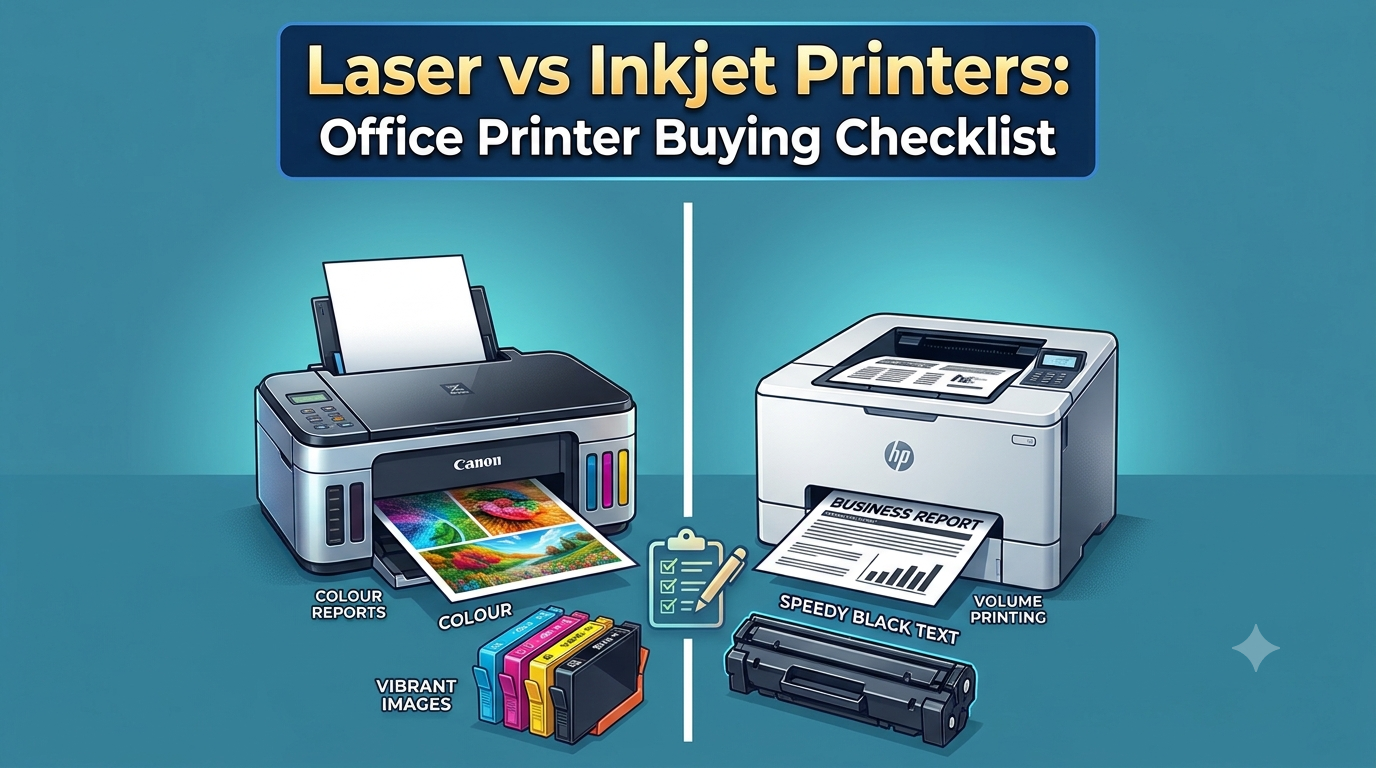
Choosing the right printer for an office may look simple, but the decision can become surprisingly complicated.
There are hundreds of printer models available, with different technologies, speeds, cartridge systems, paper capacities, connectivity options and multifunction features.
The biggest decision usually comes down to two technologies:
Laser or inkjet?
Both can produce high-quality documents, but they are designed around different strengths.
Laser printers use toner, while inkjet printers use liquid ink. Laser printers are generally favored for fast, high-volume document printing, while inkjet printers can be particularly useful when an office needs vibrant color graphics, photos or mixed media output.
So which one should your office choose?
The answer depends on what you print, how much you print, how often you print and how important color quality is to your business.
This guide compares laser and inkjet printers across the factors that matter most for modern offices.
Laser vs Inkjet: Quick Comparison
|
Feature |
Laser Printer |
Inkjet Printer |
|
Printing technology |
Toner |
Liquid ink |
|
Best for |
High-volume documents |
Color and graphics |
|
Text quality |
Excellent |
Very good to excellent |
|
Photo printing |
Good |
Excellent |
|
Print speed |
Generally faster |
Generally slower |
|
High-volume office use |
Excellent |
Good with business models |
|
Initial cost |
Often higher |
Often lower |
|
Color graphics |
Very good |
Excellent |
|
Smudge resistance |
Excellent |
Depends on ink/paper |
|
Compact models |
Available |
Widely available |
|
Long document runs |
Excellent |
Depends on model |
|
Best for |
Corporate and busy offices |
Small offices and color-focused work |
The comparison is not absolute. Modern business inkjet printers can handle substantial workloads, while color laser printers can produce excellent graphics. The important factor is matching the technology to the workload.
1. How Does a Laser Printer Work?
Laser printers use toner, a fine powder that is transferred and fused onto paper.
A laser or LED-based imaging system creates the print pattern, and heat is used to fuse toner to the page.
This technology gives laser printers several advantages for office documents.
They are particularly good at producing:
- Reports
- Invoices
- Contracts
- Forms
- Business letters
- Spreadsheets
- Internal documents
- Black-and-white presentations
Because toner is dry, printed pages generally do not have the same wet-ink drying concerns associated with inkjet printing.
Laser printers are also generally designed for faster document throughput and larger workloads. Brother describes laser printers as a common choice for larger businesses and busy offices because of their speed, high-volume capabilities and larger supply yields.
2. How Does an Inkjet Printer Work?
Inkjet printers work differently.
Instead of toner, they place tiny droplets of liquid ink onto the paper.
The technology is particularly effective for producing detailed color output.
Inkjet printers can be excellent for:
- Marketing materials
- Brochures
- Presentations
- Product images
- Photos
- Color charts
- Graphics
- Creative documents
Modern business inkjets have also become considerably more capable than the basic home printers many people remember.
Business-oriented inkjets can offer high page yields, automatic duplex printing, scanning, wireless connectivity and other office features.
For offices that need both standard documents and high-quality color output, a business inkjet can therefore be a legitimate alternative to a color laser printer.
3. Which Is Faster: Laser or Inkjet?
For traditional office workloads, laser printers generally have the advantage in print speed.
This becomes particularly noticeable when printing large batches of text documents.
Imagine an accounting department printing:
- 200 invoices
- 100-page reports
- Monthly statements
- Contracts
- Purchase orders
A fast laser printer is designed for this type of workload.
Current business laser models can offer print speeds well above entry-level inkjet models. For example, HP's current India business lineup includes LaserJet models with speeds reaching 42 pages per minute in some small-business configurations, while its listed OfficeJet Pro and Smart Tank models target different workload profiles.
However, speed should always be evaluated using the manufacturer's specifications for the specific model.
A premium business inkjet can be faster than a basic laser printer.
Therefore, don't choose based only on the word "laser."
Compare the actual pages-per-minute rating, first-page-out time and recommended monthly volume.
4. Which Gives Better Print Quality?
The answer depends on what you are printing.
For Text: Laser Wins
Laser printers are particularly strong at producing sharp, clean text.
This makes them ideal for:
- Contracts
- Legal documents
- Reports
- Financial statements
- Invoices
- Business correspondence
For text-heavy offices, this is one of the major advantages of laser technology.
For Photos and Graphics: Inkjet Wins
Inkjet printers can produce smooth color transitions and detailed images.
This makes them especially attractive for:
- Photography
- Marketing
- Product catalogs
- Creative agencies
- Design work
- Color-heavy presentations
Brother similarly identifies inkjet as a strong choice for graphics and vibrant color, while positioning laser as a strong option for sharp, consistent business documents.
5. What About Color Printing?
If your office mostly prints black-and-white documents, a monochrome laser printer is usually the more straightforward choice.
But if color is essential, the decision becomes more interesting.
Choose Color Laser When:
- You print many color business documents.
- Speed is important.
- Multiple employees share the printer.
- You need consistent office-quality output.
- Monthly print volume is relatively high.
Choose Inkjet When:
- Image quality is important.
- You print photographs.
- Marketing graphics are common.
- You need strong color reproduction.
- Print volumes are moderate.
For example, a real estate office may use color photographs in property presentations, while an accounting firm may print thousands of black-and-white financial documents.
Both are offices, but they have completely different printer requirements.
6. Which Has the Lower Cost Per Page?
This is one of the most important questions.
But there is no universal answer.
The cost per page depends on:
- Printer model
- Cartridge or toner yield
- Black vs color printing
- Page coverage
- Replacement consumables
- Duplex printing
- Maintenance components
- Actual monthly volume
A cheap printer can become expensive if its replacement cartridges have low yields.
A more expensive printer can potentially be cheaper to operate if it uses high-yield supplies and is designed for larger workloads.
This is why businesses should look beyond the purchase price.
HP's current buying guidance specifically recommends considering total cost of ownership rather than simply comparing the initial printer price.
7. Ink Tank Changes the Inkjet Comparison
There is an important third category that should not be confused with traditional cartridge-based inkjets:
Ink tank printers.
Instead of replacing traditional cartridges frequently, ink tank models use refillable reservoirs.
This can significantly change the running-cost equation for businesses that print substantial amounts of color.
Modern ink tank printers are designed for high page yields and can be attractive for offices that want low color-printing costs without moving to laser technology.
Therefore, when someone asks:
"Laser or inkjet?"
the more useful comparison in 2026 can sometimes be:
Laser vs cartridge inkjet vs ink tank.
8. Which Is Better for High-Volume Offices?
For offices printing large quantities of text every day, laser remains a strong choice.
Consider an office with:
- 20 employees
- Daily invoices
- Contracts
- Reports
- Internal documents
- Customer paperwork
The printer needs to handle frequent print jobs without becoming a bottleneck.
Business laser printers are designed specifically for this type of environment.
Manufacturers offer office laser ranges with different recommended monthly volumes and user counts, allowing businesses to select equipment according to workload.
However, high-volume business inkjets should not automatically be dismissed.
Some modern business inkjet models are specifically designed for higher workloads and can provide competitive running costs.
The key is to compare the manufacturer's recommended monthly page volume, not just the printer's maximum theoretical capacity.
9. What About Small Offices?
For a small office with only a few employees, the decision is less straightforward.
Suppose you print 300–500 pages per month.
You may not need a large enterprise laser printer.
A compact laser printer could still be ideal if most of your output is text.
But a business inkjet or ink tank printer may make more sense if you frequently print color documents.
For example:
Small Accounting Office
Recommended: Monochrome laser
Reason: Mostly invoices, reports and financial documents.
Small Marketing Agency
Recommended: Color inkjet or color laser
Reason: Presentations, graphics and marketing materials.
Real Estate Office
Recommended: Color inkjet or color laser
Reason: Property photos and promotional documents.
General Small Office
Recommended: Compare a business inkjet, ink tank and compact laser.
Reason: Mixed workloads.
10. Maintenance: Laser vs Inkjet
Maintenance requirements differ between the two technologies.
Laser Maintenance
Laser printers use toner and may also have components such as:
- Imaging drums
- Fusers
- Transfer components
- Waste-toner systems
These components may eventually need replacement depending on the model.
The advantage is that toner itself is dry and generally well suited to long periods of document printing.
Inkjet Maintenance
Inkjet printers require liquid ink and printhead-related maintenance.
If an inkjet is used infrequently, ink-related maintenance can become an important consideration.
Modern ink tank systems have reduced many of the running-cost concerns associated with traditional cartridge inkjets, but businesses should still follow manufacturer maintenance recommendations.
The best choice therefore depends partly on how frequently the printer is used.
11. What Happens If You Don't Print Frequently?
This is an interesting area where the traditional laser-vs-inkjet comparison becomes less obvious.
If your office prints only occasionally, a laser printer can be attractive because toner does not behave like liquid ink.
If an office has long periods with little printing, cartridge-based inkjet systems may require more attention to ink and printhead maintenance.
However, modern ink tank printers have been designed to address low-usage and running-cost concerns in different ways. HP's current guidance specifically positions ink tank systems for users looking for low running costs, including those who print infrequently.
Again, the individual printer model matters.
12. Duplex Printing Matters More Than You Think
Regardless of whether you choose laser or inkjet, automatic two-sided printing can be one of the most useful office features.
Duplex printing can reduce paper consumption by printing on both sides of a sheet.
This can be particularly useful for:
- Reports
- Meeting documents
- Internal communications
- Training materials
- Contracts
- Long documents
When comparing printers, don't only check whether duplex printing is supported.
Check whether it is automatic.
Automatic duplex printing saves employees from manually turning pages and can make a major difference in everyday office workflows.
13. Multifunction Printers Can Replace Multiple Devices
Another important consideration is whether the office needs only a printer or a multifunction printer.
An MFP can combine:
- Printing
- Scanning
- Copying
- Sometimes faxing
For many offices, an MFP can reduce equipment requirements.
Instead of having a separate printer, scanner and copier, one device can handle the majority of document workflows.
For offices with regular scanning requirements, an automatic document feeder can also make a significant difference.
Current business laser MFPs commonly include print, scan and copy functions, with some models also providing fax, automatic duplex printing and automatic document feeding.
14. Security Is Increasingly Important
Office printers are now network-connected devices.
That means printer security should be part of the purchasing decision.
Modern business printers may provide features such as:
- Secure network printing
- User authentication
- PIN-protected print release
- Access controls
- Firmware security
- Fleet management
- Encrypted communication
This becomes especially important when employees print sensitive information such as:
- Financial documents
- Employee records
- Contracts
- Customer information
- Business plans
For a small home office, advanced printer security may not be a priority.
For a corporate environment, it should be considered alongside speed and print quality.
15. Laser vs Inkjet: Which One Should Your Office Buy?
There is no single winner.
The better printer depends on the office.
Choose Laser If:
- You print mostly documents.
- You print frequently.
- Speed is important.
- Multiple employees share the printer.
- You need sharp text.
- Your office has a high monthly print volume.
Choose Inkjet If:
- You print a lot of color.
- Graphics are important.
- You need photo-quality output.
- Your volume is moderate.
- You want a versatile color printer.
Choose Ink Tank If:
- Color printing is frequent.
- You want low running costs.
- You print substantial quantities.
- You want refillable ink rather than traditional cartridges.
Choose a Multifunction Printer If:
- You regularly scan documents.
- Employees need copying.
- You want to consolidate office equipment.
- You need document workflows from one device.
Office Printer Buying Checklist for 2026
Before purchasing a printer, answer these questions:
- How many pages do we print each month?
Estimate actual usage rather than guessing.
- How much is black-and-white vs color?
This can immediately narrow the choice.
- What type of documents do we print?
Text, photos, reports, graphics or mixed documents?
- What is our required speed?
Look at pages per minute and first-page-out time.
- What is the cost per page?
Calculate toner or ink cost using realistic page yields.
- Do we need scanning and copying?
If yes, consider an MFP.
- Do we need automatic duplex printing?
For most offices, the answer should be yes.
- How many users will share the device?
This helps determine the appropriate printer class.
- What paper sizes do we use?
Check A4, A3, envelopes, labels and specialty media if required.
- What support is available?
Check warranty, service, consumables and spare parts before purchasing.
Final Verdict: Laser vs Inkjet
The laser vs inkjet printers debate does not have a universal winner.
It is really a question of matching the printer to the workload.
For high-volume text printing, laser remains one of the strongest choices.
For photos, graphics and vibrant color, inkjet remains highly competitive.
For high-volume color printing with low running costs, modern ink tank printers add another option.
For businesses that need printing, scanning and copying together, a multifunction printer can simplify the entire document workflow.
The most important lesson is to avoid choosing a printer based only on its purchase price.
Instead, evaluate:
Print volume + print type + speed + cost per page + color requirements + paper capacity + maintenance + security + total cost of ownership.
For example, a small Dubai office printing 300 black-and-white pages per month has very different requirements from a marketing company printing 5,000 color pages.
The first may be better served by a compact monochrome laser.
The second may benefit from a business color inkjet, ink tank or color laser.
In 2026, the best office printer is therefore not necessarily the newest or most expensive model.
It is the printer that can handle your actual workload efficiently, reliably and economically.
If you calculate your monthly volume and understand what your office really prints, the laser-vs-inkjet decision becomes much easier.
FAQs
Is a laser printer better than an inkjet for office use?
For offices that primarily print high volumes of text documents, laser is generally the stronger choice because of its speed and document-focused design. Inkjet can be better when color graphics, photos and mixed media are more important.
Is inkjet cheaper than laser?
Inkjet printers can have a lower purchase price, but the total running cost depends on the model, ink yield and printing volume. High-yield ink tank printers can offer particularly low color-printing costs, while laser can be very competitive for high-volume document printing.
Which printer is better for invoices and reports?
A monochrome laser printer is usually a strong choice because these workloads are text-heavy and often require fast, consistent output.
Which is better for photos?
Inkjet is generally the better choice for photo printing and image-heavy documents because of its ability to produce detailed color gradients.
Are laser printers faster?
Generally, yes for comparable office-oriented models, particularly for high-volume document workloads. However, always compare the actual pages-per-minute specification of the specific models being considered.
Should an office buy an all-in-one printer?
If employees regularly need to scan or copy documents, an MFP can be a practical choice because it combines several functions into one device.
Is a color laser printer worth buying?
It can be worthwhile for offices that need frequent professional color documents while maintaining relatively high print volumes and fast output.
What is the best printer for a small business?
There is no universal best printer. A small business with mostly black-and-white documents may benefit from a monochrome laser, while a business producing marketing graphics may prefer a color inkjet, ink tank or color laser.
About the Author