Samsung vs. HP vs. Lenovo : Which Computer Monitor Wins Your Office Desk Space?
Samsung vs. HP vs. Lenovo : Which Computer Monitor Wins Your Office Desk Space?
Your computer monitor is arguably the most critical piece of hardware on your desk. Whether you are building a high-octane gaming rig, designing a high-end creative workstation, setting up a corporate office, or simply trying to power through remote work spreadsheets, your display dictates your daily visual experience.
When you spend 6 to 10 hours a day staring at a screen, the quality of your monitor directly impacts your eye comfort, posture, productivity, and enjoyment. However, navigating the modern monitor market can feel like an overwhelming maze. Screen sizes, refresh rates, panel types, resolutions, and specialized features change constantly. More importantly, choosing the right brand makes all the difference, as different manufacturers cater to distinctly different lifestyles and professional needs.
To help you cut through the technical noise, this guide explores three heavyweights in the display market Samsung, HP, and Lenovo. By examining their lineups, technologies, and target audiences, we will help you determine which brand deserves prime real estate on your desk.
Why Your Monitor Choice Matters More Than Ever
Before diving into the specific brands, it is worth looking at how monitors have evolved. Not long ago, a monitor was simply a passive box that mirrored your computer tower. Today, displays are sophisticated pieces of computing technology featuring integrated smart operating systems, ultra-fast gaming refresh rates, eye-care certifications, and USB-C power delivery hubs that can juice up your laptop with a single cable.
When evaluating a monitor, several core factors come into play:
- Resolution: From traditional Full HD (1920x1080) for everyday tasks to crisp QHD (1440p) and stunning 4K UHD, pixel density dictates how sharp text and images look.
- Panel Technology: IPS panels offer incredible color accuracy and wide viewing angles (ideal for office work and design), while VA panels offer deep contrast ratios, and OLED/Mini-LED technologies push blacks to absolute perfection.
- Ergonomics: Stand adjustability height, tilt, pivot, and swivel prevents neck strain and slouching over long working sessions.
- Connectivity: HDMI, DisplayPort, and multi-functional USB-C ports determine how easily your monitor links to accessories, laptops, and external drives.
Let’s see how Samsung, HP, and Lenovo approach these requirements.
Samsung – The Innovator of Smart Features, Immersive Curves, and Ultra-High Performance
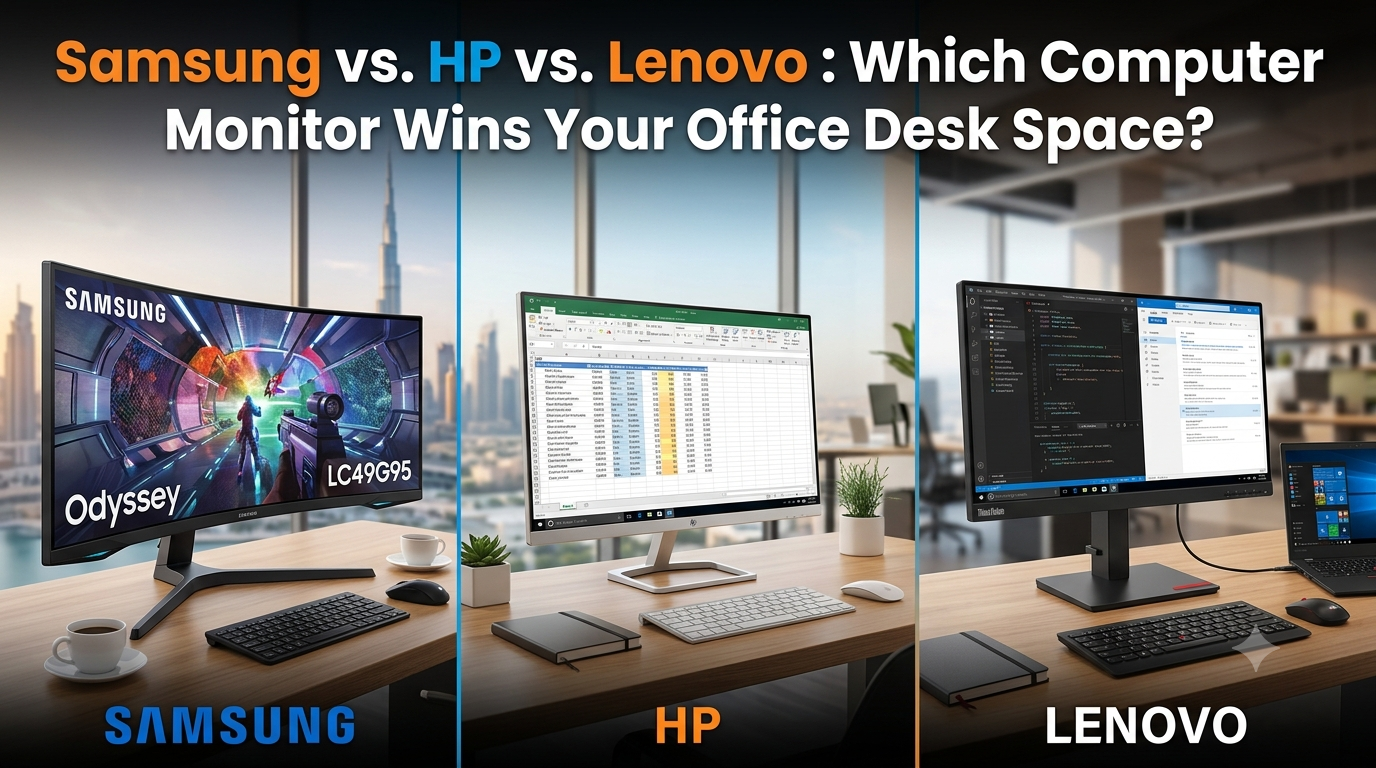
Samsung is a global titan in display technology. Known for pushing the boundaries of screen resolution, panel curvature, and smart integration, Samsung monitors caters heavily to multitaskers, content creators, entertainment enthusiasts, and hardcore gamers who demand cutting-edge performance.
1. The Revolution of Smart Monitors
Samsung has fundamentally disrupted the traditional monitor category with its Smart Monitor lineup (such as the M-series, including the M80D and M5 models).
- Work and Play Without a PC: These unique displays bridge the gap between a computer monitor and a smart TV. They feature built-in Tizen operating systems, granting direct access to streaming apps like Netflix, YouTube, and Disney+ without needing a PC plugged in.
- Built-in Cameras and Productivity Hubs: Many models come equipped with SlimFit cameras for video calls, Microsoft 365 integration for cloud-based document editing, and workspace apps that let you connect remotely to your office computer.
- Aesthetic Appeal: Unlike traditional black plastic office monitors, Samsung’s smart monitors come in stylish pastel colorways such as white, blue, green, and pink making them ideal for modern, design-conscious living rooms and home offices.
2. The Odyssey Gaming Phenomenon
If gaming is your primary focus, Samsung’s Odyssey series (spanning from the budget-friendly G3 up to the jaw-dropping Odyssey Neo G8 and the ultra-wide 49-inch G9) represents the pinnacle of gaming immersion.
- Lightning-Fast Speeds: Odyssey monitors feature ultra-low 1ms response times and rapid refresh rates ranging from 144Hz all the way up to 240Hz, eliminating ghosting and motion blur during fast-paced competitive gaming.
- Extreme Curvature: Many models feature a 1000R curvature, which matches the natural field of vision of the human eye. This wraps the game world around your peripheral vision, heightening immersion.
- Quantum Mini-LED Technology: High-end models utilize Mini-LED backlighting and HDR10+ support, delivering blindingly bright highlights and pitch-black dark scenes that rival high-end living room televisions.
3. Professional Precision: The ViewFinity Series
For professionals working in graphic design, photography, CAD, and video production, Samsung offers the ViewFinity series (such as the ViewFinity S7 and S8 4K/UHD monitors).
- Color Accuracy: These displays offer wide color gamuts (covering up to 99% sRGB or DCI-P3), ensuring that the colors you see on screen match your final printed or published work.
- Advanced Multitasking: Built-in Picture-in-Picture (PIP) and Picture-by-Picture (PBP) modes allow you to plug in two separate source devices (like a desktop and a laptop) and view them simultaneously on a single screen.
HP – The Champion of Everyday Productivity, Minimalist Design, and Comfort
Hewlett-Packard (HP) takes a different approach. Rather than focusing solely on niche gaming extremes or smart TV hybrids, HP leans heavily into what the everyday user, student, and corporate professional needs: reliability, clean aesthetics, ergonomic comfort, and effortless day-to-day performance.
1. Sleek, Minimalist Aesthetics
HP monitors are engineered to complement clean workspace environments.
- Micro-Edge Bezels: Models like the popular HP M-series (e.g., the HP M27f FHD) feature ultra-thin bezels on three sides. This creates a nearly seamless viewing experience, which is especially valuable if you are running a dual-monitor setup.
- Clutter-Free Profiles: HP pays close attention to physical footprints. Their slim monitor stands and integrated cable management channels keep desks looking tidy, professional, and free of tangled wires.
2. Reliable, Budget-Friendly Everyday Displays
From small-form-factor office displays like the HP P204V (19.5-inch) designed for basic point-of-sale or data entry tasks, to expansive 27-inch Full HD monitors, HP excels at delivering dependable hardware at accessible price points.
- Built for the Long Haul: HP commercial and consumer monitors undergo rigorous reliability testing, making them a staple for corporate office rollouts, call centers, schools, and home workspaces where uptime and durability matter most.
3. Prioritizing Eye Health
Because millions of people spend their entire workday staring at spreadsheets and documents, HP integrates advanced eye-comfort features into its monitors.
- HP Eye Ease: This is a hardware-low blue light filter that reduces high-energy blue light emissions without shifting color accuracy toward a harsh yellow tint. Combined with flicker-free panels, HP ensures that eye fatigue is minimized, even after a grueling 9-to-5 shift.
Lenovo – The Intelligent Choice for Modern Workspaces and Business Ecosystems
Lenovo is universally respected for its robust enterprise hardware, legendary ThinkPad keyboards, and practical engineering. Their monitor lineup reflects this corporate DNA, focusing heavily on workspace efficiency, ergonomic flexibility, and seamless ecosystem integration.
1. Business-Class Ergonomics
Lenovo monitor understands that comfort breeds productivity. While many budget monitors only offer basic tilt adjustments, Lenovo’s mid-to-high tier business monitors come equipped with fully adjustable ergonomic stands.
- Four-Way Adjustability: Users can easily adjust height, tilt, swivel, and pivot (rotating the screen from landscape into portrait mode). Portrait mode is a massive productivity booster for programmers, legal professionals, and anyone who reads long scrolling documents or code daily.
2. Seamless Connectivity and USB-C Hubs
Modern professionals often use lightweight laptops that lack traditional ports. Lenovo addresses this by outfitting many of its monitors with advanced connectivity hubs.
- Single-Cable Simplicity: With USB-C connectivity featuring Power Delivery, a single cable transmits video, data, and power to your laptop. You can plug your keyboard, mouse, and ethernet cable directly into the monitor, transforming your display into a full-fledged docking station instantly.
3. Striking the Right Balance: Value Meets Performance
Lenovo excels at bridging the gap between professional-grade features and budget-conscious pricing. Whether you need a standard 24-inch office display or an expansive ultra-wide screen for data analysis, Lenovo offers robust performance without charging a massive brand premium.
Head-to-Head Comparison – Which Brand Fits Your Lifestyle?
To help you synthesize these options, let's break down recommendations based on specific user profiles:
1. The Remote Worker / Multitasker
- Winner: Samsung (Smart Monitor Series) or Lenovo (USB-C Hub Monitors)
- Why: If you want a screen that doubles as an entertainment hub after work hours, Samsung’s Smart Monitors give you standalone streaming apps and cameras without needing a PC. If you want pure corporate efficiency, Lenovo’s USB-C docking monitors keep your work desk organized and charge your laptop seamlessly.
2. The Hardcore Gamer or Content Creator
- Winner: Samsung (Odyssey & ViewFinity Series)
- Why: HP and Lenovo both offer capable displays, but Samsung is in a league of its own when it comes to high-refresh-rate gaming, 1000R curved screens, Mini-LED HDR performance, and high-resolution creative color accuracy.
3. The Student, Minimalist, or Office Professional
- Winner: HP (M-Series & Everyday Lineups)
- Why: HP monitors prioritize clean desk aesthetics, beautiful micro-edge bezels, reliable performance, and built-in eye-care technology that keeps eye strain at bay during long study or writing sessions.
Key Factors to Check Before Buying
No matter which brand you lean toward, keep these final checklist items in mind before making your purchase:
- Match the Size to Your Desk Space: Measure your physical desk area. A 24-inch or 27-inch monitor is usually the sweet spot for standard desks, while 32-inch or ultra-wide screens require significantly more depth and width.
- Check Your Ports: Ensure the monitor has the correct inputs (HDMI, DisplayPort, or USB-C) that match your laptop or desktop graphics card.
- Look for VESA Mount Compatibility: If you plan on mounting your monitor on a wall arm or dual-monitor stand, ensure the model supports VESA mounting standards.
Key Trends Shaping the Computer Monitors in Dubai
As one of the world’s leading technology and business hubs, Dubai is driving rapid shifts in display adoption across corporate offices, home setups, and digital entertainment centers. First, the city's widespread embrace of hybrid work models and modern corporate office designs has triggered a massive demand for single-cable USB-C docking displays and ultra-wide productivity screens. Professionals in Dubai's financial, real estate, and tech sectors are increasingly replacing traditional dual-monitor setups with 34-inch and 49-inch curved monitors. These expansive screens reduce desk clutter, streamline workflow across complex spreadsheets and software, and eliminate cable chaos through high-powered USB-C pass-through charging.
Second, the UAE’s rapidly growing gaming and esports ecosystem is pushing high-refresh-rate and OLED panel technologies into the spotlight. Local gamers, streamers, and content creators are moving away from entry-level displays in favor of ultra-low latency panels equipped with 144Hz to 240Hz refresh rates, deep contrast HDR, and Mini-LED or QD-OLED backlighting. Whether it’s competitive esports tournaments or immersive simulators, high-end curved displays like Samsung's Odyssey series have become a major focal point in gaming setups across the region.
Finally, user health and wellness have become top priorities for tech buyers in the region. With professionals and students spending record hours in front of screens, monitor manufacturers are integrating advanced, hardware-level eye-care features such as certified flicker-free backlighting and low blue light emissions that maintain rich color reproduction without inducing eye strain. Coupled with sleek, minimalist designs that match Dubai's contemporary interior aesthetics, today’s monitors are evaluated just as much for their ergonomic, health-focused engineering and modern look as they are for raw resolution and pixel count.
Frequently Asked Questions (FAQs)
1. Which monitor brand is best for productivity and office work?
HP and Lenovo excel in office productivity. HP offers sleek, eye-friendly designs like the M-series, while Lenovo features multi-adjust stands and single-cable USB-C hubs for clean workspace management.
2. What makes Samsung Smart Monitors different from regular monitors?
Samsung Smart Monitors (like the M5, M7, and M8 series) run a TV operating system with built-in Wi-Fi. You can stream Netflix, join video calls, and access Microsoft 365 directly without plugging in a PC.
3. Is a curved monitor better for work and gaming?
Curved monitors match the human field of view, reducing eye movement and strain. They are great for immersive gaming and ultra-wide multitasking, though flat screens remain preferred for precise graphic design work.
4. What screen size is ideal for a home office setup in Dubai?
A 24-inch or 27-inch display is ideal for standard desks. If you handle multiple spreadsheets or multi-window workflows, a 32-inch or 34-inch ultra-wide display offers the best screen space.
5. How does a USB-C monitor reduce desk clutter?
A USB-C monitor sends video signals, transfers data, and charges your laptop simultaneously through a single cable, eliminating extra power bricks and HDMI wires from your desk.
6. What is the difference between Full HD (1080p), QHD, and 4K UHD?
Full HD (1080p) is suitable for daily tasks, QHD (1440p) provides extra sharpness for 27-inch screens, and 4K UHD delivers ultra-crisp detail for creative work and large screens (32-inch and above).
7. Which monitor brand is best for high-end gaming?
Samsung leads in gaming hardware with its Odyssey series, featuring ultra-fast 1ms response times, refresh rates up to 240Hz, and deep 1000R curves.
8. Why are hardware eye-care features important on a monitor?
Technologies like HP Eye Ease and flicker-free panels reduce harmful blue light emissions without distorting screen colors, reducing eye fatigue during long work shifts.
9. Can I mount Samsung, HP, and Lenovo monitors on a monitor arm?
Yes, most models feature standard VESA mounting patterns on the back. Always check the monitor’s specifications for VESA support before purchasing a mount.
10. Where can I buy original Samsung, HP, and Lenovo monitors in Dubai?
You can browse and order a wide selection of genuine Samsung, HP, and Lenovo monitors online directly from OfficeStationery.ae with local delivery options across the UAE.
Conclusion: Upgrade Your View Today
Choosing a computer monitor doesn’t have to be intimidating. By identifying whether you value Samsung's smart and immersive technological innovations, HP's sleek and comfortable everyday reliability, or Lenovo's business-class ergonomic efficiency, you can easily narrow down your choices.
Ready to find the ideal display for your setup? Explore the extensive collection of top-tier monitors from Samsung, HP, Lenovo, and more at OfficeStationery.ae and elevate your workspace today!
About the Author