How to Create an Ergonomic Office Setup in Dubai?
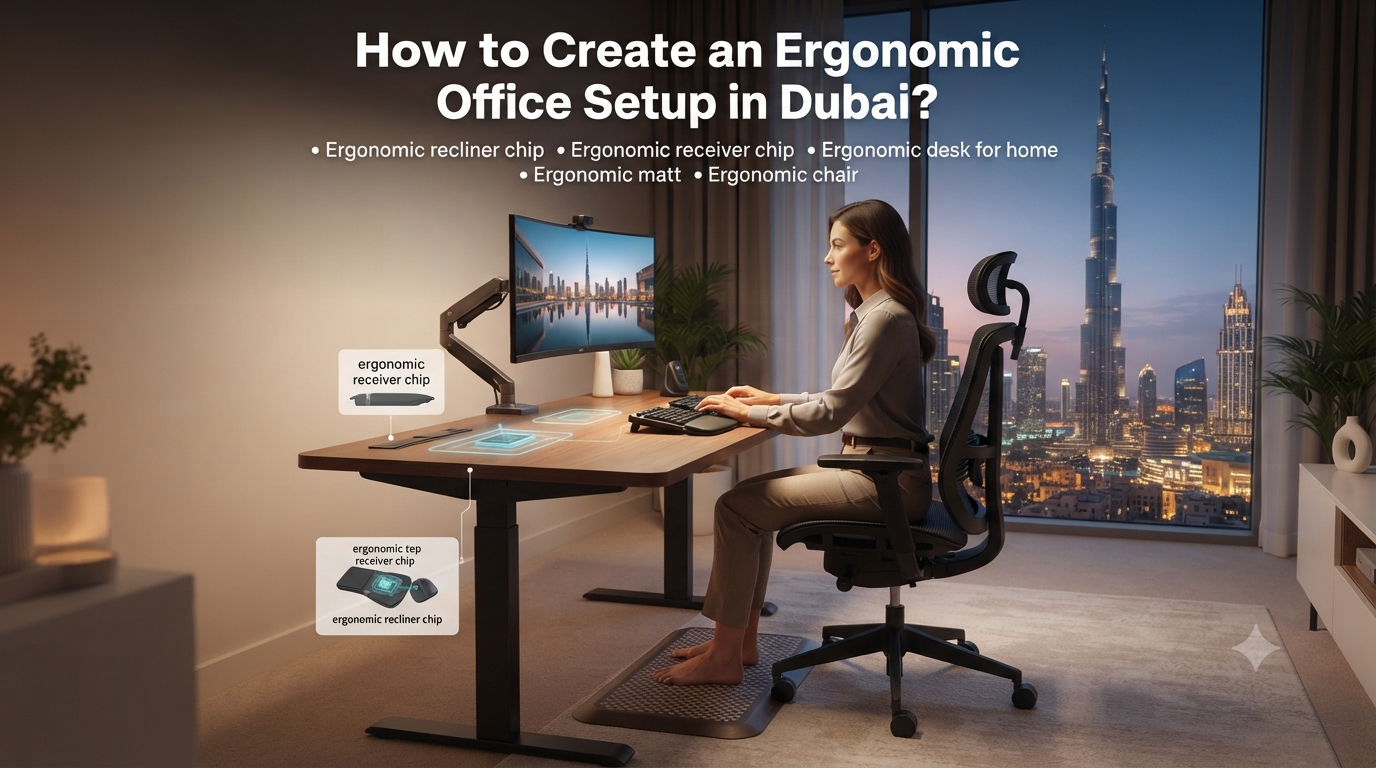
Creating a comfortable workspace is essential for professionals who spend several hours working at a desk. Whether you work from a corporate office, a home office or a hybrid workspace in Dubai, the right furniture and accessories can make a difference to your daily working experience. A well-designed workspace helps you maintain a comfortable posture, organise your desk efficiently and create an environment that supports concentration throughout the day.
With more professionals working on computers for extended periods, investing in an ergonomic office setup is becoming an important consideration for businesses and individuals across Dubai. From choosing an ergonomic chair and desk to adding supportive accessories such as floor mats, recliner components and other workspace essentials, small adjustments can help create a more practical and comfortable working environment.
In this guide, we explore how to create an ergonomic office setup in Dubai, the essential furniture and accessories to consider, and how to make your workspace more functional for everyday use.
1. Understand the Importance of an Ergonomic Office Setup
An ergonomic office setup is designed around the needs of the person using the workspace. Instead of adapting your body to an uncomfortable desk or chair, ergonomics focuses on arranging furniture, equipment and accessories to support a more natural working position.
A poorly arranged workstation may contribute to discomfort in the neck, shoulders, back, wrists and legs, particularly during prolonged desk work. An ergonomic workspace aims to minimise unnecessary strain by improving the positioning of your chair, monitor, keyboard, desk and other accessories.
For office employees in Dubai, where many jobs involve computer-based work, a properly organised workspace can help improve day-to-day comfort. It is also a practical consideration for businesses looking to create better office environments for their employees.
Some of the key benefits of an ergonomic office setup include:
-
Better posture support: Helps position your body more comfortably while sitting and working.
-
Improved workspace organisation: Keeps frequently used equipment within easy reach.
-
Reduced physical discomfort: Appropriate workstation adjustments may help reduce unnecessary strain during prolonged desk work.
-
Better concentration: A comfortable workspace makes it easier to focus on daily tasks.
-
More efficient use of desk space: Ergonomic accessories help create a functional and organised workstation.
2. Choose the Right Ergonomic Chair
An office chair is one of the most important elements of an ergonomic workspace. Since employees often spend a significant portion of their working day seated, selecting a chair that provides appropriate support and adjustability is essential.
When selecting an
, consider features that allow you to adjust the seating position according to your desk height and body proportions.
Features to look for in an ergonomic chair
-
Adjustable seat height: Your feet should rest comfortably on the floor or on a footrest, with your knees positioned approximately at a right angle.
-
Lumbar support: A supportive backrest should help maintain the natural curve of your lower back.
-
Adjustable armrests: Armrests can support your arms and help keep your shoulders relaxed.
-
Seat depth: The chair should allow adequate support without pressing against the backs of your knees.
-
Reclining functionality: A reclining backrest allows you to adjust your seating position during the day.
-
Breathable material: Mesh or other breathable materials may improve comfort, particularly in warm environments.
When shopping for office chairs in Dubai, consider your daily working hours, desk dimensions, available workspace and the adjustability of the chair. A chair that suits your needs can be a worthwhile investment for both home offices and corporate environments.
3. Set Up an Ergonomic Desk for Your Home or Office
Your desk determines how comfortably you can position your computer, keyboard, mouse and other office equipment. A desk that is too high or too low may encourage uncomfortable working positions, especially when paired with a chair that cannot be adjusted properly.
Whether you're furnishing a corporate workspace or setting up a dedicated work area at home, choosing the right desk is an important step.
An
should provide enough surface space for your computer, documents, accessories and other daily essentials without overcrowding the workstation.
How to arrange your desk ergonomically
-
Keep the desk height suitable for your seated working position.
-
Position your keyboard and mouse close to your body.
-
Leave sufficient space for your legs underneath the desk.
-
Place frequently used stationery and office accessories within easy reach.
-
Avoid cluttering your workspace with unnecessary items.
-
Consider adjustable-height desks if you want the flexibility to alternate between sitting and standing.
For home offices in Dubai, desk selection should also consider the available room space, cable management, storage needs and the type of work you perform. A practical desk can help create a dedicated work environment even in smaller apartments or shared spaces.
4. Position Your Monitor at the Correct Height
Monitor placement is another important aspect of an ergonomic office setup. Looking down at a screen for extended periods may contribute to neck and shoulder discomfort. Proper monitor positioning can help you maintain a more neutral head and neck position.
Monitor positioning tips
-
Position your monitor directly in front of you rather than at an angle.
-
Keep the screen approximately an arm's length away, adjusting the distance to suit your screen size and vision.
-
Position the top of the screen at or slightly below eye level, depending on your comfort.
-
Avoid placing the monitor too low if you frequently work on documents or spreadsheets.
-
Use monitor stands or risers if your screen height needs adjustment.
If you work on a laptop, consider using a separate keyboard and mouse alongside a laptop stand or external monitor. This allows you to position the screen and input devices more independently, making it easier to create a comfortable workstation.
5. Organise Your Keyboard and Mouse for Comfortable Working
Keyboard and mouse placement can influence the way your wrists, arms and shoulders are positioned throughout the day. If these devices are too far away or placed at an uncomfortable angle, you may find yourself stretching your arms or bending your wrists unnecessarily.
A well-organised workstation should allow your elbows to remain close to your body, your shoulders to stay relaxed and your wrists to remain in a comfortable position while typing.
Tips for keyboard and mouse placement
-
Position your keyboard directly in front of you.
-
Keep the mouse close to the keyboard to avoid unnecessary reaching.
-
Adjust the keyboard position to keep your wrists comfortable while typing.
-
Avoid resting your wrists on hard surfaces while actively typing or using the mouse.
-
Consider a wrist rest for support during breaks between typing sessions.
-
Use a mouse that comfortably fits your hand and supports natural movement.
For employees who spend long hours writing emails, preparing reports, entering data or working on spreadsheets, comfortable keyboard and mouse positioning can be an important part of workstation planning.
6. Add an Ergonomic Floor Mat to Your Workspace
Floor mats are useful additions to workspaces where employees spend time standing, particularly at standing desks, reception counters and workstations that involve frequent movement.
Where can ergonomic mats be used?
-
Standing desks in offices and home workspaces
-
Reception and front-desk counters
-
Workstations involving frequent standing
-
Packing and administrative work areas
-
Retail counters and service desks
What should you consider when choosing an ergonomic mat?
Look for a mat with an appropriate thickness, a non-slip surface, suitable dimensions and easy-to-clean material. The mat should fit comfortably within your workstation without creating trip hazards.
In Dubai offices, where workspaces may feature tile, marble or other hard flooring materials, a suitable standing mat can be a practical addition to standing workstations.
7. Consider Recliner Features for Flexible Seating
Modern office seating is available in different styles, including ergonomic chairs with reclining functions and additional comfort features. Reclining functionality allows users to change their seating position rather than remaining upright in the same posture throughout the day.
Depending on the design, recliner-style seating may include adjustable backrests, footrests, reclining mechanisms and other components intended to support different seating positions.
If you are exploring seating options or components associated with recliner-style seating, you can browse ergonomic recliner chip products through the OfficeStationery.ae search page.
Benefits of adjustable reclining features
-
Allows users to change seating positions throughout the day.
-
Offers flexibility for different activities, such as reading or reviewing documents.
-
May provide additional support when the reclining position is adjusted appropriately.
-
Can complement a workstation designed around flexible seating.
Reclining should not replace regular movement, stretching or breaks. Even with comfortable seating, it is important to avoid staying in one position for excessively long periods.
8. Understand Ergonomic Receiver and Chair Components
When setting up or upgrading an ergonomic workspace, people sometimes search for individual components, accessories or replacement parts instead of complete furniture products. Understanding what a product is designed for can help you choose suitable equipment.
If you are researching the term ergonomic receiver chip, you can explore the linked product-search page to review available results. Before purchasing any component, check its specifications, compatibility and intended application.
When selecting ergonomic furniture components or accessories, consider the following:
-
Check the product specifications carefully.
-
Confirm compatibility with the chair, desk or equipment you already own.
-
Understand the purpose of the component before purchasing.
-
Compare the materials, dimensions and functionality.
-
Choose products that fit the requirements of your workstation.
Selecting accessories based on compatibility and practical requirements can help prevent unnecessary purchases when upgrading office furniture.
9. Improve Office Lighting and Workspace Organisation
Furniture and seating are important, but lighting and organisation also play a role in creating a comfortable workspace. Poor lighting, cluttered desks and tangled cables can make an office less practical and distracting.
Lighting tips for an ergonomic workspace
-
Position your desk near a window where possible to benefit from natural daylight.
-
Avoid placing your monitor directly in front of bright windows that cause glare.
-
Use an adjustable desk lamp for reading and writing tasks.
-
Choose lighting that provides adequate illumination without excessive brightness.
-
Adjust screen brightness to match the surrounding environment.
Workspace organisation tips
-
Use desk organisers to store pens, documents and stationery.
-
Keep cables organised using cable clips or cable management accessories.
-
Store frequently used items close to your desk.
-
Keep unnecessary objects away from your keyboard and mouse.
-
Maintain a clean and uncluttered desk surface.
A well-organised office setup can make it easier to complete daily tasks while keeping your workspace functional and visually appealing.
10. Make Your Ergonomic Office Setup Suitable for Dubai's Work Environment
Office environments in Dubai range from large corporate offices and coworking spaces to compact home offices. An ergonomic setup should reflect the available space, working requirements and daily routines of the people using it.
For corporate offices
Businesses can create ergonomic workspaces by selecting adjustable chairs, suitable desks, monitor accessories and workstation essentials for employees. Investing in practical furniture and accessories can help businesses make their offices more comfortable and functional.
Office managers should also consider employee workstation requirements, shared desk arrangements, storage space and the needs of employees who spend extended periods working on computers.
For home offices
A home office should ideally have a dedicated working area with adequate lighting, a suitable desk and a comfortable chair. Even when space is limited, using a properly positioned laptop, an adjustable chair and organised accessories can help create a more functional workstation.
For hybrid workers
Employees who work both from home and from the office may benefit from portable accessories, adjustable equipment and consistent workstation arrangements. Laptop stands, compact keyboards, mice and other desk accessories can make it easier to create a comfortable workspace in different locations.
11. Ergonomic Office Setup Checklist
Before finalising your workspace, use this checklist to review the important elements of your ergonomic office setup.
FAQs
1. What is an ergonomic office setup?
An ergonomic office setup is a workspace arranged to support comfortable posture, efficient movement and convenient access to work equipment. It typically includes an appropriately adjusted desk, chair, monitor, keyboard and other accessories.
2. What are the essential ergonomic office accessories?
Essential ergonomic office accessories may include adjustable office chairs, laptop stands, monitor risers, ergonomic keyboards, mice, wrist rests, footrests and anti-fatigue mats. The accessories you need depend on your workstation and daily activities.
3. How do I set up an ergonomic office at home in Dubai?
Start by selecting a suitable desk and adjustable office chair. Position your monitor at a comfortable viewing height, keep your keyboard and mouse within reach, ensure adequate lighting and organise your desk. Choose accessories based on the available space and your working requirements.
4. How should I position my office chair?
Adjust your chair so your feet rest comfortably on the floor or a footrest, your knees are approximately at a right angle, and your back is supported by the backrest. Keep your shoulders relaxed and adjust the armrests to support your arms comfortably.
5. Is an ergonomic desk necessary for a home office?
An ergonomic desk is not necessarily a requirement, but a desk with an appropriate height, sufficient workspace and adequate legroom can help create a comfortable working environment. Adjustable-height desks offer additional flexibility for users who want to alternate between sitting and standing.
6. Are ergonomic mats useful for office work?
Ergonomic standing mats, particularly anti-fatigue mats, may improve comfort for employees who spend extended periods standing. They are commonly used at standing desks, reception counters and workstations where standing is part of the daily routine.
7. How can I improve my office setup without spending too much?
Start with basic adjustments such as positioning your monitor correctly, organising your keyboard and mouse, improving lighting and rearranging desk essentials. Prioritise the chair and desk adjustments before purchasing additional accessories.
8. What should I look for when buying an ergonomic chair in Dubai?
Look for adjustable seat height, suitable lumbar support, comfortable seat depth, adjustable armrests and a reclining backrest. Consider the chair's materials, dimensions, durability and suitability for your working hours.
9. Can ergonomic accessories improve productivity?
Ergonomic accessories can help create a more comfortable and organised working environment. By improving workstation positioning and reducing unnecessary reaching or awkward postures, they may make everyday tasks easier to manage.
10. Where can I buy ergonomic office accessories in Dubai?
You can explore ergonomic office furniture and accessories online at OfficeStationery.ae, including ergonomic chairs, home-office desks, mats and other workspace essentials to help create a more comfortable and functional office.
Create a More Comfortable Workspace with the Right Office Accessories
Creating an ergonomic office setup in Dubai involves more than choosing an office chair. It requires a combination of suitable furniture, well-positioned computer equipment, organised accessories, adequate lighting and a workspace designed around your daily activities.
From choosing an ergonomic chair and an ergonomic desk for home to adding an ergonomic mat and adjusting your monitor position, each element contributes to a more practical working environment. Whether you are setting up a home office, upgrading a corporate workspace or furnishing a new office, selecting the right ergonomic office accessories can help you build a workspace that supports comfort, organisation and productivity.
Explore the range of office furniture and workspace accessories at OfficeStationery.ae to find practical solutions for creating a better office setup in Dubai and across the UAE.
About the Author